
Kyocera Printers Price List
FILTERS
Clear All
Type
Price
Availability
No matching products available.
Best Selling Printers
-
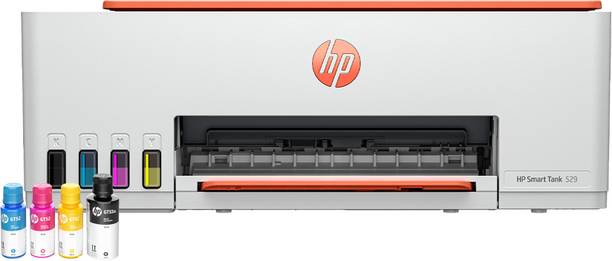 ₹11,999 * ₹17,27531% Off
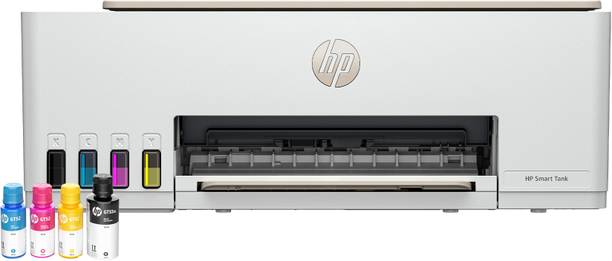
- Buy HP Smart All In One 589 Multi-function WiFi Color Ink Tank Printer (Color Page Cost: 0.67 Rs. | Black Page Cost: 0.47 Rs. | Borderless Printing) Print, Copy & Scan, Up to 12 IPM Mono / 5 IPM Color, Yield: Up to 4,000 Black / 6,000 Color Pages, In-Box Ink Included only for Rs. 17275.0 from Flipkart.com. Only Genuine Products. 30 Day Replacement Guarantee. Free Shipping. Cash On Delivery!
-
 ₹6,015 * ₹17,49866% Off
- 【Complete Labeling Solution】 Includes Helett H30C Lite 4×6 thermal label printer with a sturdy label holder for smooth and organized printing workflow.
- 【High-Speed & Clear Printing】Print at up to 152mm/s with 203 DPI resolution for sharp barcodes, text, and shipping labels.
- 【Wide Compatibility】Works with Windows, Mac, Linux & Chrome OS; supports Amazon, Flipkart, Meesho, PDF printing & label software.
- 【Adjustable Label Sizes】 Supports labels from 1.06" to 4.25" width and various formats including shipping, barcode, and product labels.
- 【Easy USB Setup】Plug-and-play USB connection with simple driver installation for quick and hassle-free setup.
-
 ₹15,499 * ₹24,46837% Off
- Multi-function Printer
- Versatility at its finest
- Inkjet
- Vibrant colors and sharp details with inkjet printing.
- Color
- Vibrant and accurate color prints.
- WiFi, WiFi Direct, Wireless, USB
- Connect your printer wirelessly.
- Refillable Ink Tank
- Reduce printing costs with Refillable Ink Tank.
-
₹5,299 * ₹8,86040% Off
- Multi-function Printer
- Inkjet
- Color
- USB, Wireless
- Ink Cartridge
-
Best Selling Printers by Price
-
₹14,299 * ₹17,99921% Off
- All-in-One Convenience: Print, scan, and copy with ease - all in one compact device with flatbed scanning and wireless functionality. Includes wifi & mobile pritning for convenient printer operation.
- Low Cost, High Yield: Print up to 7,500 colour pages^ at low running costs of 9 paise (Black) and 33 paise (Colour) per print. ^Under standard test conditions.
- Smart Connectivity: Stay connected with Wi-Fi, Hi-Speed USB 2.0 & Direct from mobile printing — perfect for seamless home & office use.
- Print smarter: With the added convenience of Wi-Fi Direct, Epson Connect and Epson Smart Panel app. Epson Connect - Mopria, Apple Air Print, Epson iPrint, Epson Email Print, Remote Print Driver
- Vibrant Colour & Document Printing: Get sharp black-and-white and vivid colour prints with 5760x1440 dpi resolution
- Easy Refills: Newly designed InkTank nozzles with a key-lock mechanism and colour-coded caps ensure proper, mess-free refills every time even when the bottle is upside down.
- Enjoy fast print speeds: up to 33 ppm (black) and 11ppm (colour) — with first page out in just 10sec
- Versatile Media Handling: Input Capacity - Up to 100 sheets-A4 / Letter Plain paper (80 g/m2), Up to 20 sheets-Premium Glossy Photo Paper | Envelope & Indian Legal Paper Size | Maximum Paper Size of 215.9 x 1,200 mm
- Warranty: 1 year onsite warranty at your doorstep or 50,000 pages. Also free installation if required at your doorstep.
- India's No.1 InkTank Printers #Source: IDC Worldwide Quarterly Hardcopy Peripheral Tracker, Q1 2026. Disclaimer: Epson is the No.1 InkTank brand in India for Q1 2026 based on volume market share of unit shipments for A4 inkjet printers and MFPs.
-
₹5,999 * ₹6,99514% Off
- Multi-function Printer
- Versatility at its finest
- Inkjet
- Vibrant colors and sharp details with inkjet printing.
- Color
- Vibrant and accurate color prints.
- USB, WiFi, WiFi Direct
- Connect your printer wirelessly.
- Ink Cartridge
- Reduce printing costs with Ink Cartridge.
-
₹2,525 *
- Single Function Printer
- Simplicity at its best
- Inkjet
- Vibrant colors and sharp details with inkjet printing.
- Color
- Vibrant and accurate color prints.
- USB
- Connect your printer with USB.
- Ink Cartridge
- Reduce printing costs with Ink Cartridge.
-
₹11,995 *
- The sleek and modern design of the SELPHY CP1500 is reflected in how easy it is to use even with powerful features such as Wi-Fi and smartphone connectivity.
- The SELPHY CP1500 is incredibly portable, and with an optional battery back, you can print and share your memories from just about anyplace that you go.
- Not only will your photos look great, they will also be instantly dry and water resistant, and continue to look great for up to 100 years.
- Enjoy the flexibility of Wi-Fi, USB, and memory card connections for your SELPHY CP1500 to connect to just about anything and print from devices like your smartphone to your computer, camera, memory cards, and even USB flash drives.
- A large built-in 3.5” display allows you to view, edit, and add filter effects like sepia, or B/W to the images you want to print.
-
₹4,799 * ₹6,97931% Off
- Multi-function Printer
- Versatility at its finest
- Inkjet
- Vibrant colors and sharp details with inkjet printing.
- Color
- Vibrant and accurate color prints.
- USB
- Connect your printer with USB.
- Ink Cartridge
- Reduce printing costs with Ink Cartridge.
-
₹7,353 * ₹17,99959% Off
- 【 High-Quality Printing 】: Features a sharp 203 DPI resolution for crisp and professional prints, ideal for shipping labels, MRP labels, and other labeling needs. Note : This printer is built to print 4x6 label only content larger than 4x6(like most of the invoices are A4 size by default) print will not be clear as the content size is greater than Specified size.
- 【 Versatile Label Compatibility 】: Supports various label types, including colorful labels, transparent labels, and silver labels, with different shapes such as circles, rectangles, and squares ranging from 2-inch width to 4-inch length. Note : When changing the label size need to add a new label size in printing preferences in printers & Scanners and also need to align the label in printer by pre...
- 【 Built-In Label Storage 】: Includes a paper holder compartment that can store up to 350 label sheets, keeping your workspace organized and efficient. Note : Don't use label Holder when using 4x6 label or else the Label will not fit
- 【 Transparent Monitoring Window 】: A transparent glass panel on the top allows users to track label usage without opening the printer. Note : If the Print is coming faded then open the latch of the printer and close it with little more effort, as the printing head need to touch the label properly.
- 【 USB Direct Thermal Technology 】: Operates without the need for ink or toner, providing a cost-effective and low-maintenance printing solution. Note : Ony direct thermal paper is compatible i.e. label should have ink(you can scratch the lable or use a lighter if the label is is getting black then it's direct thermal). This printer doesn't have ink it uses heating technology to print so the paper ...
- 【 Fast Printing Speed 】: Prints at a blazing 152 mm/s (6 inches per second), making it perfect for high-volume environments like e-commerce, logistics, and retail. Note : If the print is not coming clear then you can lower the print speed and also decrease the printer density from printers & scanner>>Printing preferences.
- 【 Seamless Connectivity 】: Compatible with Windows, Mac, and via USB, and equipped with Bluetooth for effortless printing from smartphones. Note : Bluetooth connection is only compatible with smartphones like Android, iOs. In Windows, MacOs can be used only via USB cable
- 【 Mobile Printing Apps 】: Supports the Label Expert app for Android and iOS. Simply pair via Bluetooth, design your label, and print directly from your device. Note : In iOs the printer is not visible in bluetooth please directly go in app and pair the printer
- 【 Easy Setup 】: Simply plug in the power and USB cable, scan the QR code (included in the box or on the Amazon page) to install the driver, and start printing within minutes. Note: If you face any issues during installation, you can contact our customer support team. Our executives will assist you with driver installation and provide step-by-step guidance through remote support.
- 【 Helett's H30CPro Compact and Sleek Design 】: Finished in modern white, this space-saving label printer fits seamlessly into any workspace. Backed by a 1-year warranty and supported by dedicated customer service, ensuring reliability and peace of mind. Note : Driver installation error? Print is coming Dark or Light? Faded Print? No Power? Accessories Missing? Bluetooth Connection error? Designing...
-
₹12,399 * ₹16,19023% Off
- Multi-function Printer
- Versatility at its finest
- Inkjet
- Vibrant colors and sharp details with inkjet printing.
- Color
- Vibrant and accurate color prints.
- USB, Wireless, WiFi
- Connect your printer with USB.
- Refillable Ink Tank
- Reduce printing costs with Refillable Ink Tank.
-
₹13,999 * ₹17,99922% Off
- Multi-function Printer
- Versatility at its finest
- Inkjet
- Vibrant colors and sharp details with inkjet printing.
- Color
- Vibrant and accurate color prints.
- WiFi, WiFi Direct, USB
- Connect your printer wirelessly.
- Refillable Ink Tank
- Reduce printing costs with Refillable Ink Tank.
-
₹2,877 * ₹3,0847% Off
- Compatibility: HP DeskJet GT5800 Series
- Country of Origin: Malaysia
- Product type: Print Head
- Printhead colour: Black/tricolo
-
₹1,849 *
- Printhead Color-Black
- Printer Compatibility: HP Ink Tank 100/300/400 Series, HP Smart Tank 300/400 Series
- Extend the life of your printer.Simply replace printheads and resume printing.
- Improved printhead reliability with new printhead technology
-
₹10,499 * ₹13,13320% Off
- Multi-function Printer
- Versatility at its finest
- Inkjet
- Vibrant colors and sharp details with inkjet printing.
- Color
- Vibrant and accurate color prints.
- USB, WiFi
- Connect your printer with USB.
- Refillable Ink Tank
- Reduce printing costs with Refillable Ink Tank.
-
₹13,078 * ₹17,99027% Off
- Printer Type : Laser Printer ; Functionality : Print Only ; Print Output : Monochrome ; Connectivity - Hi-Speed USB2.0, IEEE 802.11a/b/g/n (Infrastructure Mode), IEEE 802.11a/g/n (Wi-Fi Direct), Dual Band Wireless LAN (2.4 GHz/5.0 GHz) ; Scanner Type - NA
- OS Compatibility -Windows, Mac & Linux ; Mobile Compatibility – Android & IOS ; Hardware Interface:USB ; Enlarge/reduce option: No ; Auto double print: Yes
- Maximum Print Speed (color): NA, Maximum Print Speed (Monochrome): 30 ppm, Maximum Print Resolution (Color): NA | Maximum Print Resolution (Monochrome): Upto 1200 x 1200 dpi
- Paper Size : A4, Letter, B5 (JIS), B5 (ISO), A5, A5 (Long Edge), B6 (JIS), A6, Executive, Legal, Mexico Legal, India Legal, Folio, 16K (195x270 mm), A4 Short (270mm Paper),COM-10, DL, C5, Monarch (Legal and Folio size paper are supported only in some countries.) ; Max paper thickness (in GSM) - 163 GSM ; [Maximum Input Sheet Capacity] - 250 Sheets ; Compatible Ink/Toner : TN-2570XL Toner Cartridge...
- Special Features : 2 Sided Printing ; Ideal Usage [Recommended Uses of Product] : Home & Small Office ; Included Components : Power Cable, USB Cable, Installation CD, Inbox Toner TN-2570XL (3000 pages) (needs to be installed)
-
₹3,229 * ₹6,00046% Off
- 𝟐-𝐈𝐍-𝟏 𝐏𝐑𝐈𝐍𝐓𝐈𝐍𝐆 – 𝐋𝐀𝐁𝐄𝐋𝐒 & 𝐑𝐄𝐂𝐄𝐈𝐏𝐓𝐒: Seznik DEV smart thermal printer supports both label and receipt printing. Perfect for retail, shipping, F&B, and mobile billing needs.
- 𝐖𝐈𝐃𝐄 𝐂𝐎𝐌𝐏𝐀𝐓𝐈𝐁𝐈𝐋𝐈𝐓𝐘: Easily connects to Android & iOS devices via Bluetooth. Works with most billing apps in the market. For label printing, use the free ‘Open Label’ app.
- 𝟐𝟎𝟑 𝐃𝐏𝐈 𝐂𝐋𝐄𝐀𝐑 𝐇𝐃 𝐏𝐑𝐈𝐍𝐓𝐈𝐍𝐆 & 𝐅𝐋𝐄𝐗𝐈𝐁𝐋𝐄 𝐏𝐑𝐈𝐍𝐓 𝐖𝐈𝐃𝐓𝐇𝐒: High-resolution 203 DPI printing with width range of 12 mm to 58 mm. Supports various label sizes from 1 inch to 2 inch.
- 𝐂𝐋𝐀𝐒𝐒𝐘, 𝐂𝐎𝐌𝐏𝐀𝐂𝐓 & 𝐏𝐎𝐑𝐓𝐀𝐁𝐋𝐄: 𝐃𝐈𝐌𝐄𝐍𝐒𝐈𝐎𝐍𝐒: 2 x 9 x 7 cm. Weight: 280gm. Stylish, space-saving design suitable for shop counters or mobile setups. Portable, lightweight, and battery-powered for flexibility on the go.
- 𝐑𝐄𝐂𝐇𝐀𝐑𝐆𝐄𝐀𝐁𝐋𝐄 & 𝐋𝐎𝐍𝐆 𝐁𝐀𝐓𝐓𝐄𝐑𝐘 𝐋𝐈𝐅𝐄: Built-in 2000mAh battery ensures long-lasting performance. Comes with USB to Type-C charging cable for fast recharging, perfect gift for diwali.
- 𝐅𝐑𝐄𝐄 𝐀𝐅𝐓𝐄𝐑-𝐒𝐀𝐋𝐄𝐒 𝐒𝐄𝐑𝐕𝐈𝐂𝐄 & 𝟐𝟒/𝟕 𝐂𝐔𝐒𝐓𝐎𝐌𝐄𝐑 𝐒𝐔𝐏𝐏𝐎𝐑𝐓: We offer free installation and after-sales service, along with round-the-clock customer support for all our customers.
-
₹2,000 * ₹2,99933% Off
- Single Function Printer
- Laser
- Color
- USB
- Toner Cartridge
-
₹3,595 *
- Single Function Printer
- Simplicity at its best
- Inkjet
- Vibrant colors and sharp details with inkjet printing.
- Color
- Vibrant and accurate color prints.
- WiFi
- Connect your printer wirelessly.
- Ink Cartridge
- Reduce printing costs with Ink Cartridge.
-
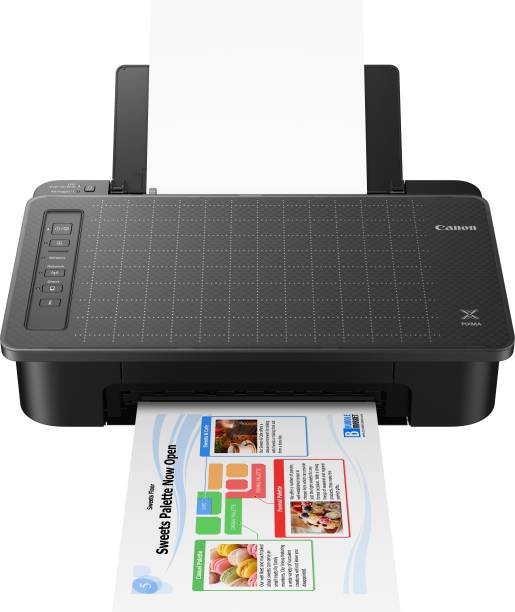
₹4,999 * ₹6,35521% Off
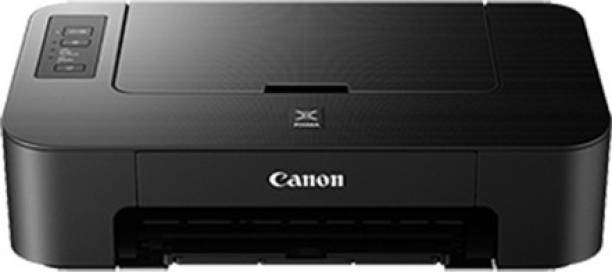
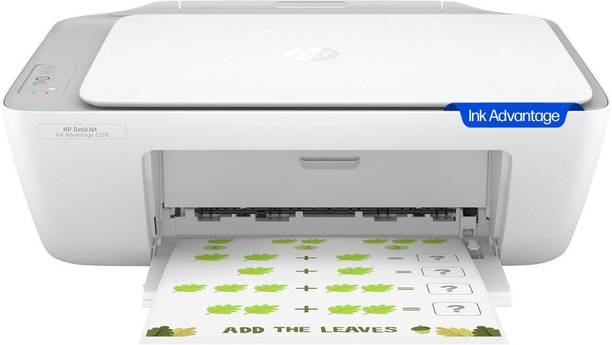
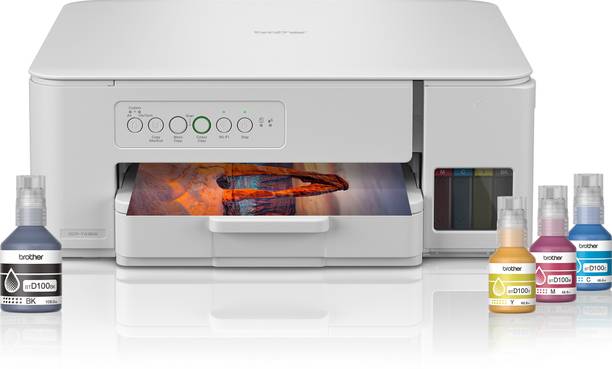
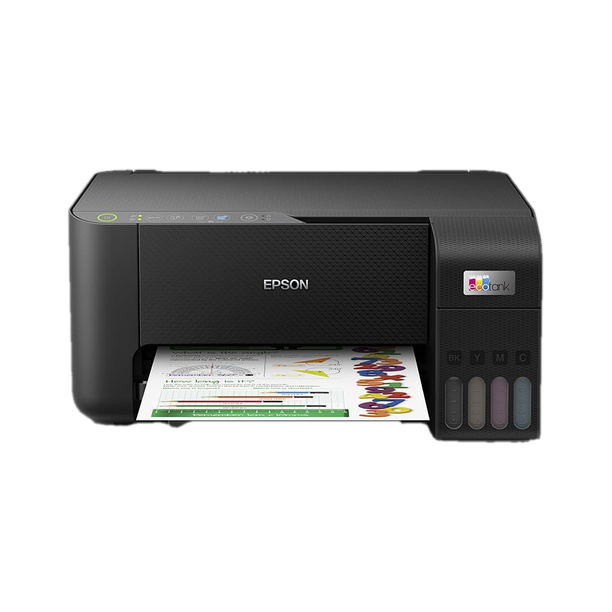
- ALL-IN-ONE PRINTER FOR HOME: Print, Scan & Copy ; Ideal for home, students & light office use with wireless convenience
- AFFORDABLE PRINTING SOLUTION: Print up to 400 prints (black) & 180 prints (color) with high quality ink cartridges (as per ISO/IEC 24711 (for A4 size) using ISO/IEC 24712 test file);
- HIGH-QUALITY PRINT OUTPUT: Sharp & Clear Prints – Up to 4800 x 600 dpi resolution for crisp text documents and decent color images
- RELIABLE PRINT PERFORMANCE: Efficient Speed – Print speeds up to 8.0 ipm (black) & 4.0 ipm (color) for everyday printing needs
- WIRELESS & MOBILE PRINTING: Seamless WiFi Connectivity – Print wirelessly via Canon Print Service (Android), Canon Easy-PhotoPrint, PIXMA Cloud Link ; Supports Windows 10, Windows 8, Windows 7 SP1, Windows Vista SP2 and Mac OS X v10.8.5 and later
- BUDGET FRIENDLY INK: Supports PG 47 and CL 57s ink cartridges (Black and Colour) – easily available inks designed for reliable, high-quality everyday printing.
- HIGH-QUALITY BORDERLESS PRINTING: Print vibrant, full-page photos with no white borders for a seamless finish
- CANON RELIABILITY + WARRANTY: Durable Performance – Backed by Canon quality with 1-year onsite warranty, plus strong service network across India








- SHARE


* Product prices and availability are accurate as of the date/time indicated on the product page and are subject to change. Any price and availability information displayed on the store (Amazon, Flipkart, etc) at the time of purchase will apply to the purchase of displayed products.
* As an Affiliate, we earn from qualifying purchases at no extra cost to you. More info.
